
Reports and reviews — what's coming
How Insights, Gradebook, and Compliance reporting will work in Homeschool Planner. The views are coming, but the underlying data is being collected from day one.
The Review group in Settings — Insights, Gradebook, Compliance — is the third leg of Homeschool Planner. Setup creates the structure (children, subjects, materials, year). The planner section is where the work happens (week, day, scheduled activities). Review is where you read it back: who’s on pace, what grades are forming, and what reports your state will want at the end of the term.
These three views aren’t shipped yet. Each one currently routes to a Coming Soon page describing what it’ll do. The data they read from is being collected today — every session you plan or log feeds them — so when the views land, you’ll have a year of real data ready to read.
At a glance
- Where they live: Settings sidebar → Review group (Insights, Gradebook, Compliance)
- Status: Coming Soon placeholders today
- Best for: parents wondering if they should keep logging despite the views being unfinished
- Skip if: you’re not yet at year-end or quarterly reporting time
The Insights view (coming)
A read on how the year is going — pace, balance, where each child is ahead or behind. Designed to be a quiet, narrative read rather than a chart-heavy dashboard, so you can scan it once a week without feeling like you’re being graded.
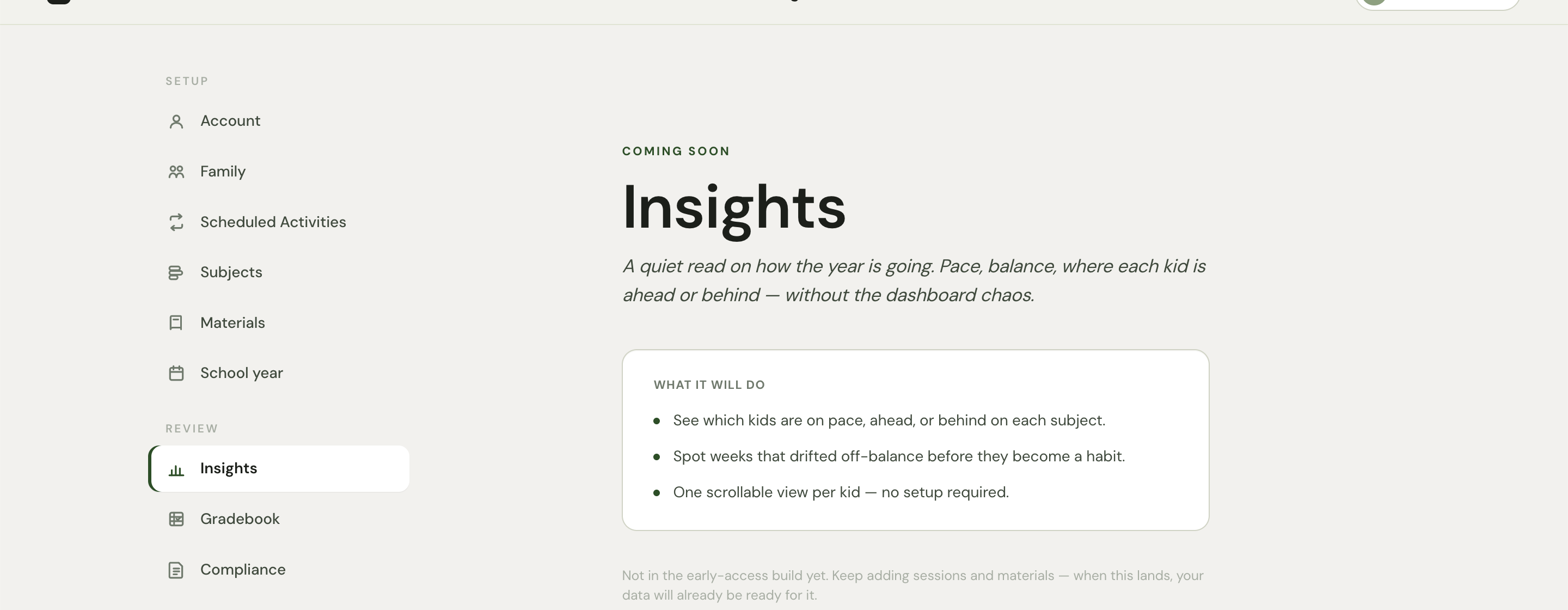
The on-page promise:
- See which children are on pace, ahead, or behind on each subject
- Spot weeks that drifted off-balance before they become a habit
- One scrollable view per child — no setup required
For families with multiple children at different levels, Insights will surface the patterns that are easy to miss week by week — for example, that one child consistently skips Friday math, or that read-aloud has slipped to once a week instead of three.
The Gradebook view (coming)
A clean, parent-friendly gradebook for high-school children heading toward college applications. The on-page promise:
- Per-child courses with custom grading categories and weights
- Lock-in grades at end of term so transcripts stay stable
- One-page transcript export — formatted for college apps
For elementary and middle-school families, the Gradebook is optional — most don’t grade until 9th grade, and a checkmark-based progress record is plenty. For high-school families, the Gradebook will be the source of the official transcript that goes out with college applications, formatted to look like a school’s transcript rather than a personal note.
Until it ships, you can record per-session grades in the Note field on each session — 85% on the Saxon test, B+ on the essay. The data is captured; the formatted output comes later.
The Compliance view (coming)
Quarterly and end-of-year reports for your state, derived from the sessions you’ve already logged. The on-page promise:
- Auto-derive attendance, hours, and required-subject coverage
- Print the quarterly form your state asks for, on demand
- Per-child history — what got covered, when, and how long
The compliance burden varies wildly by state — New York and Pennsylvania require detailed quarterly paperwork with hours per subject, Massachusetts wants an annual evaluation, Texas asks for nothing at all. The Compliance view will read from your school year (instructional days, vacations, holidays), your subject enrollment (required vs. optional per child), your scheduled activities and logged sessions (what got covered, by whom, for how long), and your materials list (what you taught from), and assemble whatever your state asks for.
What’s already working today
Even though the views aren’t built, the data layer is on:
- Sessions — every planned block and every logged completion records the date, the child, the subject, the duration, attendance status, and any attached notes or photos.
- Materials — books and curricula tagged to child + year + subject, with optional lesson plans and progress.
- Subjects — the per-child Required/Optional/Off matrix, with state-law defaults pre-applied.
- School year — instructional days, vacations, and holidays, automatically subtracted from the day count for compliance reports.
- Scheduled activities — recurring sessions across the year, complete with day-of-week, duration, and date range.
Use the planner now and the Review tools will have a year of real data to read from when they ship. The underlying structure is the same; the views are what’s missing.
Workarounds while you wait
For families who need outputs before the views ship:
- Compliance — print the day or week sheet (the print icon in the planner top bar) on a quarterly cadence. The printed sheet shows what was scheduled and what was completed, with dates. Most state evaluators accept printed planner pages plus dated worksheets as evidence of instruction.
- Gradebook — record a grade per session in the Note field on the session detail panel, until the gradebook ships. Format it consistently (87%, B+, Pass) so it’s easy to roll up later.
- Insights — the per-child progress bars in the week view (under each child’s name) and the percent-complete stat on the school-year page give a rough read of pace. Not as pretty as Insights will be, but enough to spot a drift.
These are bridges, not replacements. The proper Review views will be much faster, and they’ll do the math automatically.
When will it ship?
We don’t have firm dates — these views are in the build queue and depend on getting the data layer right first (which is mostly done). Compliance is likely to ship before Insights, because state requirements are concrete and time-sensitive. Gradebook may follow in the same season since high schoolers can’t wait years for a transcript.
If your family has a hard deadline (an upcoming state submission, a college application that needs a transcript), email [email protected] — we’ll either prioritize the relevant view or generate the report by hand from your data. Don’t quietly let a deadline pass.